Choosing the right website builder is more important than ever. The platform you use affects your website's speed, design, SEO performance, and long-term success. Whether you're a small business owner, designer, or beginner, comparing tools like sitestudio, Wix, WordPress, Squarespace, and Webflow helps you make the best choice.
In this guide, you'll find a clear, beginner-friendly breakdown of sitestudio vs competitors so you can choose the website builder that fits your needs.
sitestudio offers a simple drag-and-drop editor designed for beginners who want to build professional websites without coding. The interface is clean, fast, and easy to learn.
sitestudio includes modern templates for:
Business
E-commerce
Personal websites
Portfolios
All templates can be customized with your own colors, fonts, content blocks, and media for a unique brand look.
sitestudio includes:
- Automatic mobile-responsive templates
- Basic on-page SEO tools
- Meta tag management
- Clean, search-friendly URLs
While not as extensive as WordPress, sitestudio supports important integrations for email marketing tools, social media, analytics, and basic e-commerce setups.
sitestudio is easier for beginners, while Wix offers more design freedom and a larger template library.
| Feature | sitestudio | Wix |
|---|---|---|
| Ease of Use | Very easy | Easy |
| Templates | Good | Very large library |
| SEO | Basic | Strong |
| Design Freedom | Moderate | High |
WordPress offers powerful customization but requires hosting, plugins, updates, and maintenance. sitestudio is simpler and ideal for non-technical users who want speed and convenience.
Squarespace provides beautiful templates but has a steeper learning curve. sitestudio is faster to learn and easier to set up.
Webflow is great for advanced designers and developers. sitestudio is perfect for beginners and small business owners who prefer simple drag-and-drop website building.
Many builders offer free plans or trials. sitestudio typically provides low-cost plans ideal for small businesses or new websites.
With hosting and key tools included, sitestudio is often more affordable than WordPress, which requires separate hosting, premium themes, and paid plugins.
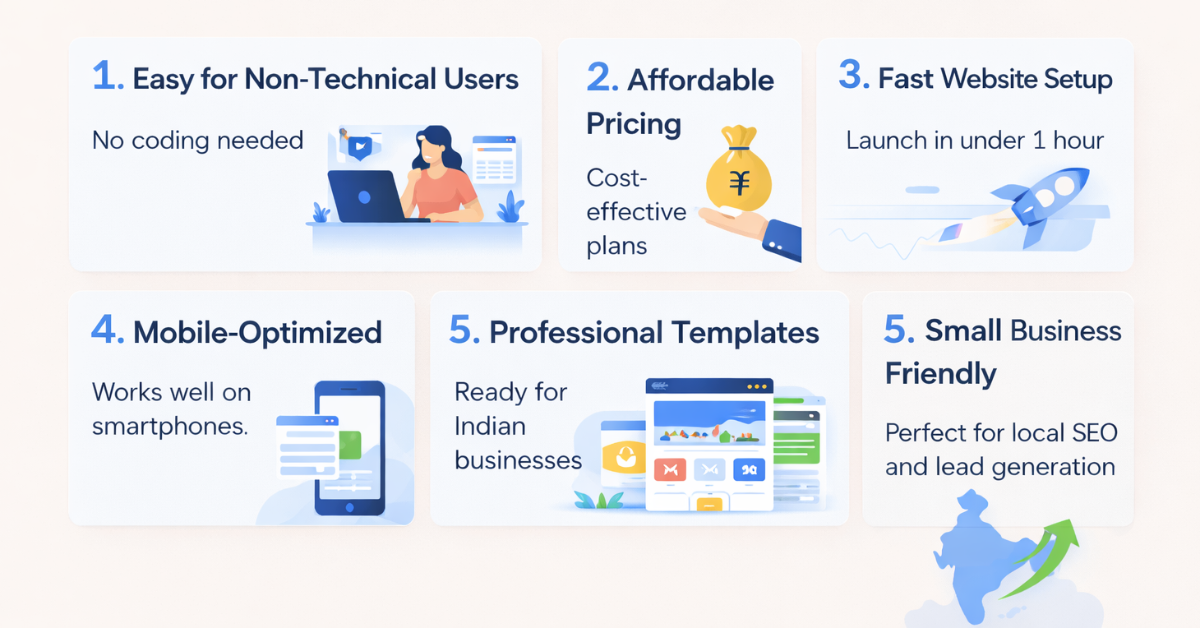
No coding needed — sitestudio makes website creation simple and fast.
Quick setup, clean templates, and essential SEO tools make it perfect for businesses that need fast results.
Although less flexible than Webflow, sitestudio offers efficient tools for building client websites quickly.
sitestudio includes reliable hosting that helps websites load fast — a critical factor for SEO and user experience.
sitestudio provides beginner-friendly SEO tools. WordPress and Webflow offer more advanced optimization but require more technical skill.
sitestudio typically offers email support, a knowledge base, tutorials, and a ticketing system.
Beginners can learn quickly using available guides and community resources.
1. Is sitestudio better than Wix?
sitestudio is easier for beginners; Wix offers more advanced features.
2. Is sitestudio good for blogging?
Yes, it includes simple and effective blogging tools.
3. Can I switch platforms later?
Migration depends on export options offered by each platform.
4. Does sitestudio support e-commerce?
Yes, but it’s not as advanced as Shopify or Wix for large stores.
5. How much does sitestudio cost?
Typically cheaper than WordPress when factoring in hosting and plugins.
6. Is sitestudio mobile-responsive?
Yes, all templates automatically adapt to mobile screens.
sitestudio is an excellent choice for beginners, small businesses, and non-technical users who want a fast, clean, and affordable website builder.
If you need advanced customization or high-end design control, platforms like Webflow or WordPress may be better. But for simplicity and speed, sitestudio stands strong among modern website builders.


Lorem Ipsum is simply dummy text of the printing and typesetting industry. Lorem Ipsum has been the industry's standard dummy. Transform your vision into a fully functioning and highly responsive website with our expert website development services. Our skilled developers utilize the latest technologies to build custom... Introducing the revolutionary travel package management module. Craft dynamic itineraries, tailor pricing, track availability, manage inclusions, automate promotions, analyze trends. Optimize,... Social media marketing: We develop and execute a targeted social media strategy to increase your brand's visibility and engagement on popular social media platforms like Facebook, Instagram, and...
Services

Website Development

Tours & Travels

Social Media Marketing
Site Studio is amazing to work with! They are professional, responsive, and delivered a high-quality website that exceeded my expectations. I would highly recommend them to anyone looking for a website development service.
What our clients say about Site Studio
Satisfied people feedback

